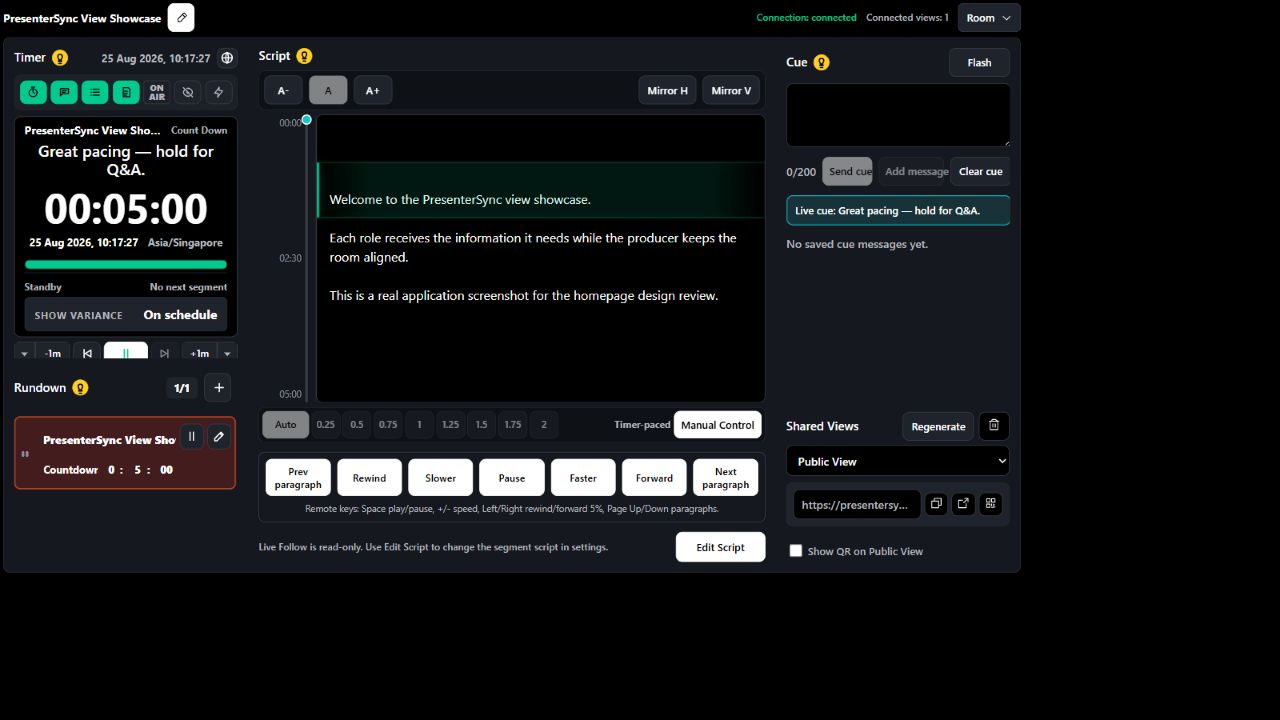
ProducerRun timer, script, cues and rundown
 PresenterSync
Keep every speaker, cue and second in sync.
A browser-based speaker timer, teleprompter and cue system for small production teams. One producer view keeps every connected screen aligned.
One roomEvery role stays aligned
Instant updatesTimer, script and cues
Clear recoveryVisible connection and reconnect states
Connected views
One control room.
Every view.
One producer view keeps every connected screen aligned in real time.
PresenterSee script, timer and private cue
OperatorAdvance segments and control time
ModeratorManage cues and audience interaction
PrompterFocus on the live scrolling script
EditorReview rundown and update the script
AgendaShow the session plan and progress
Public displayShare a clean audience-facing status
Presenter confidence
Your speaker needs more than a timer.
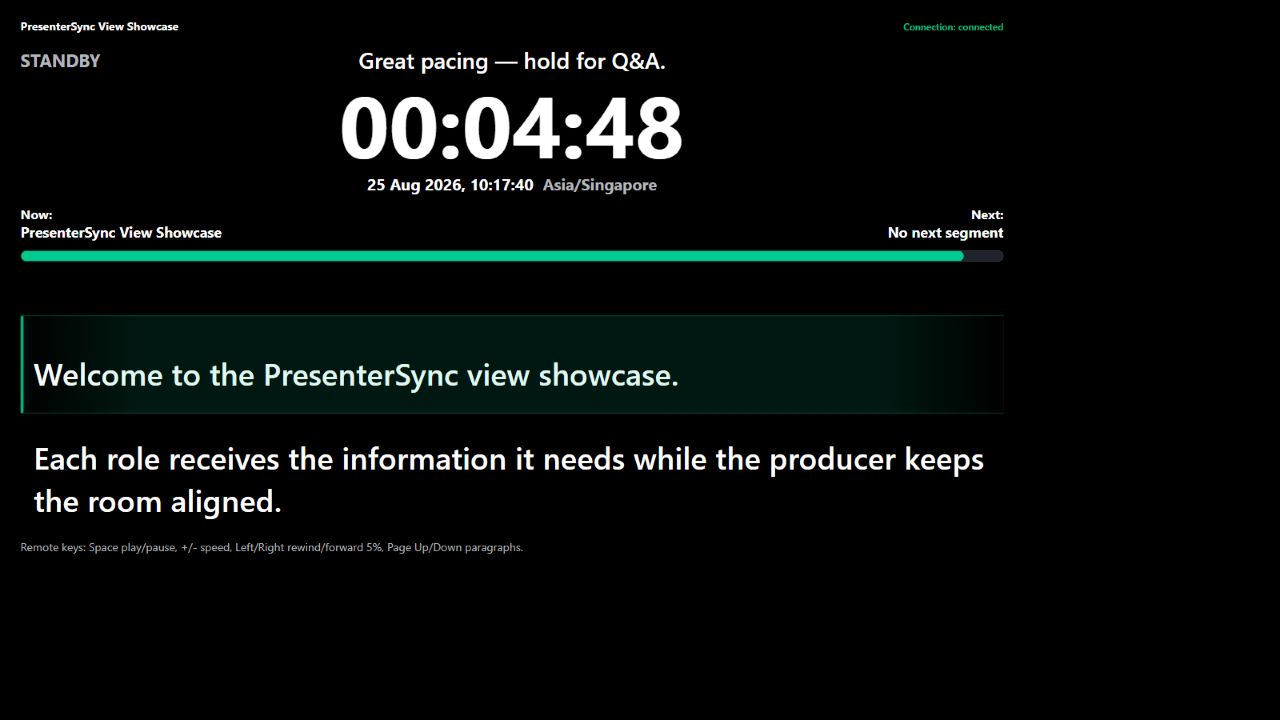
Keep the words, time and producer guidance in one readable view, so speakers can stay present instead of checking three devices.
- Read the live script at a comfortable size
- See the countdown and current segment
- Receive private producer cues during the show
- Stay aligned across every connected screen
How it works
Set up the room. Share the view. Run the show.
- 01
Create your room
Add the script, timing, rundown and cue presets for the session.
- 02
Share role-specific links
Open the presenter, operator, moderator or public view on any browser device.
- 03
Stay aligned live
Control timing, script movement and cues while every screen follows the same room state.
Built for the live moment
Built for live moments.
Focused reliability without claims the product cannot prove.
Server-authoritative timer
One source of truth keeps every view aligned.
Visible connection state
See connection status across the dedicated views.
Reconnect and state recovery
Return without silently losing the room state.
Secret role links
Share a private credential for each role.
Desktop, tablet and phone
Join from the browser devices your team already uses.
Live paid-room expiry protection
Paid access expiry does not interrupt an eligible room already live.
Simple pricing
Choose annual access or a 30-day Event Pass.
Paid prices are in USD. Paddle displays the final price and any applicable tax before you confirm payment.
Free
FreeUS$0No card required
Run the complete core show-control workflow.
- 3 retained rooms
- 1 saved template
- All dedicated views
- Basic Q&A
Pro
AnnualUS$99per year
Event PassUS$29once / 30 days
Prepare repeat events and add audience activities.
- 25 retained rooms
- 10 saved templates
- Event Kit import and export
- Ratings and polls
Premium
AnnualUS$199per year
Event PassUS$59once / 30 days
Add richer interaction and downloadable results.
- 100 retained rooms
- 50 saved templates
- Word clouds and quizzes
- Result charts, images and downloads
All plans include script, timer, cues, rundown, variance clock, script transport and dedicated views.
Try it now
Create a demo room in under a minute.
Open the producer and presenter links in two tabs or devices, then start the timer and send a cue. Anonymous rooms use Free features.
Common questions
Before your first room
Do presenters need to install anything?
No. Each role opens a dedicated link in a supported browser.
Can I use a phone or tablet?
Yes. Presenter and shared views are designed for desktop, tablet and phone. Producer controls work best with more screen space.
What is a 30-day Event Pass?
It is a one-time purchase that provides the same features as the matching Pro or Premium plan for 30 consecutive days. It does not renew automatically.
Will a plan expiry interrupt a live show?
No. If a paid room is already live, its current paid capabilities are protected until that room returns to a completed, standby state.